
IRC Server Pro1.8 - Google Play
You'll be able to see results in few seconds.
Publisher Description
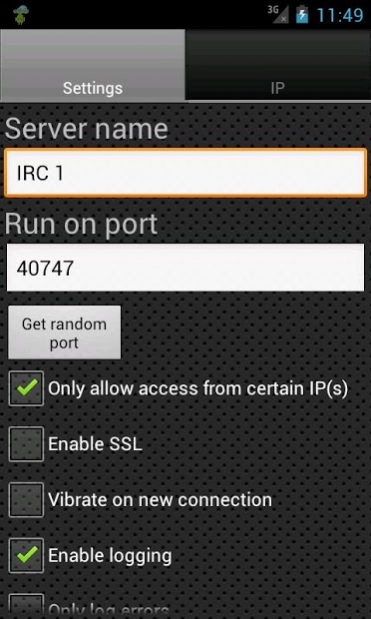
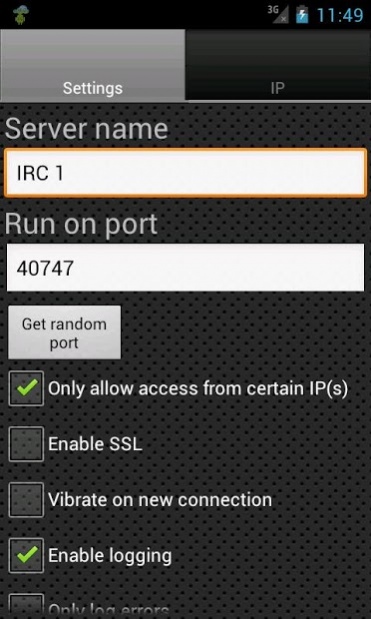
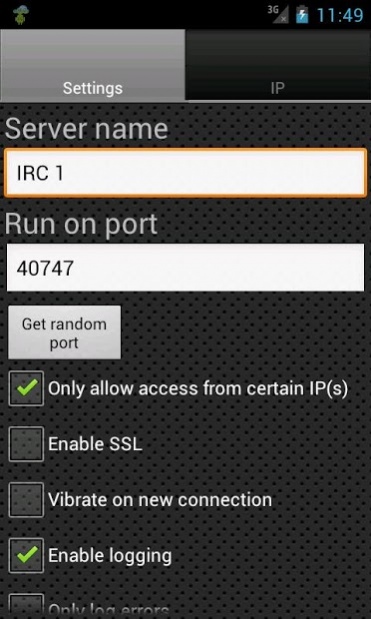

A small and secure IRC server! From now on you can have your own IRC server right in your pocket. Chat with multiple IRC users through the server on your phone!
Note 1. If you find a bug or have a problem please contact us by email since we cannot help you if you post it in the reviews.
Note 2. Not all IRC commands are supported. Users can login, join a channel and start chatting.
And we haven’t mentioned all yet; you can even set a dynamic DNS updater! So you can always access your device from everywhere, even if the IP changed!
It also has extensive logging functionality, and you can even set the app to email you the log automatically!
Features summary:
- Secure the server by using SSL/TLS with your own certificate or our certificate
- Start/Stop an IRC server automatically when connected/disconnected from a specified WIFI network, or on boot
- Verbose log (filter, email, etc)
- Optionally only allow specified IP addresses to access
- Add a Dynamic DNS Updater using the local or public IP of your device
- The IRC Server can be accessed from the web (for example through your 3G connection) if supported by your mobile network
All features:
- Add multiple IRC Servers
- For every IRC Server you can set name, port, only access from certain IP addresses, vibrate on a new connection, enable logging, only log errors, start the server when connected to a specific WIFI network and disconnect when the WIFI network is lost, or start on boot, respawn on crash, enable SSL
- If you enable SSL: use our SSL certificate, use your own keystore, set keystore type (BKS or PKCS12), set keystore password, set keymanager password
- Add multiple dynamic DNS updaters (set a custom URL, or choose from ChangeIP, DNSdynamic, DNSexit, DNSMadeEasy, DNS-O-Matic, DNSPark, DtDNS, DynDNS, easyDNS, eNom, HE.net, Joker, Namecheap, No-IP, ZoneEdit)
- For every dynamic DNS updater set the name, timeout (in minutes), hostname, username, password and whether to update with the local or public IP address, start the Dynamic DNS Updater when connected to a specific WIFI network, update on connectivity change, start on boot
- On the settings page of the app you can set the maximum log items to keep, whether to keep a WIFI lock (prevent WIFI from disconnecting automatically), keep the device alive, keep the device alive full (keep the screen on, battery intensive), set to start the app on boot
- You can search/filter the log, or set it to be automatically sent when the log limit is reached.
- Commands supported:
NICK, USER, PING, JOIN, WHO, LIST, USERHOST, MODE, PART, QUIT, PRIVMSG, TOPIC
For questions, comments or feature requests just contact us!
Visit us on: https://www.icecoldapps.com/
Follow us on Twitter: https://twitter.com/IceColdApps
Like us on Facebook: https://www.facebook.com/IceColdApps
About IRC Server Pro
The company that develops IRC Server Pro is Ice Cold Apps. The latest version released by its developer is 1.8.
To install IRC Server Pro on your Android device, just click the green Continue To App button above to start the installation process. The app is listed on our website since 2012-09-15 and was downloaded 0 times. We have already checked if the download link is safe, however for your own protection we recommend that you scan the downloaded app with your antivirus. Your antivirus may detect the IRC Server Pro as malware as malware if the download link to com.icecoldapps.ircserverpro is broken.
How to install IRC Server Pro on your Android device:
- Click on the Continue To App button on our website. This will redirect you to Google Play.
- Once the IRC Server Pro is shown in the Google Play listing of your Android device, you can start its download and installation. Tap on the Install button located below the search bar and to the right of the app icon.
- A pop-up window with the permissions required by IRC Server Pro will be shown. Click on Accept to continue the process.
- IRC Server Pro will be downloaded onto your device, displaying a progress. Once the download completes, the installation will start and you'll get a notification after the installation is finished.
Program Details
System requirements
Download information
Pricing
Version History
version 1.8
posted on 2012-09-15
- Fixed some small bugs
version 1.8
posted on 2012-09-14
Several fixes and updates
Disclaimer
Official Google Play Link
We do not host IRC Server Pro on our servers. We did not scan it for viruses, adware, spyware or other type of malware. This app is hosted by Google and passed their terms and conditions to be listed there. We recommend caution when installing it.
The Google Play link for IRC Server Pro is provided to you by apps112.com without any warranties, representations or guarantees of any kind, so access it at your own risk.
If you have questions regarding this particular app contact the publisher directly. For questions about the functionalities of apps112.com contact us.
